How VCR# Renders a Terminal Without a Browser
Why VCR# dropped the browser entirely and now drives a real shell over an in-process PTY into a from-scratch VT500 engine
A tool that used to start a browser
For most of its life, VCR# recorded terminals by automating a web browser. It started a terminal server, pointed a headless Chromium instance at it through Playwright, let xterm.js draw the shell's output into a web page, and then took screenshots of that page frame by frame. It worked, but the cost was enormous: to render a few kilobytes of terminal text you had to install a terminal server, download a browser, and keep an entire rendering engine alive for the duration of the recording.
The rewrite threw all of that away. VCR# is now browserless. There is no terminal server, no
Playwright, no Chromium, no xterm.js, and no WebSocket anywhere in the pipeline. Everything that used to
happen across three processes and a browser now happens inside the vcr process itself. This page tells
the story of why that change was possible — and why, in hindsight, the browser was never really needed.
The pipeline, end to end
What VCR# does today is conceptually simpler than what it replaced. There are three stages, and they all run in-process:
- A real shell over an in-process pseudo-terminal. VCR# launches your actual shell — pwsh, bash, cmd, zsh, whatever — and connects it to a pseudo-terminal it owns. The shell believes it is talking to a normal interactive terminal, so it behaves exactly as it would in your own session: colored prompts, TUI apps, cursor movement, the works.
- A from-scratch VT500 engine parses the output. As the shell writes bytes, a terminal emulator
called
VtScreenconsumes them and maintains a cell grid — the same model every terminal keeps: a rectangle of cells, each with a character and its styling (color, bold, underline, and so on), plus a cursor and the usual scrollback machinery. - The renderers draw the grid. Whenever the grid changes, VCR# snapshots it and hands it to a renderer. The SVG renderer turns the grid into text and vector paths; the raster renderer turns it into a bitmap that FFmpeg can encode into a GIF, MP4, or WebM.
That is the whole machine. Bytes flow out of the shell, become a grid, and the grid becomes pixels or SVG.
The insight: the grid was always the input
Here is the realization that made the rewrite possible. When VCR# drove a browser, what was xterm.js actually doing? It was parsing the shell's output into a cell grid and drawing that grid. The browser was an elaborate, heavyweight way to get from terminal bytes to a grid of styled cells — and a grid of styled cells was the only thing the screenshot ever captured.
In other words, the cell grid was always the real input to the renderers. The browser was a detour. Once you have your own terminal engine that produces the same grid, you can render straight from it and skip the browser, the terminal server, and the network hop between them entirely. That is exactly what VCR# now does.
Why writing a VT engine is the hard part
The catch, of course, is that "parse the shell's output into a grid" is precisely the difficult problem that a terminal emulator exists to solve. Terminal output is not plain text. It is a stream interleaved with escape sequences that move the cursor, set colors, switch to an alternate screen, define scroll regions, draw box characters, and dozens of other things. Get the parsing subtly wrong and the rendered frame drifts away from what a real terminal would have shown.
VtScreen — the public type of the standalone VcrSharp.Terminal library — is built around the
canonical Paul Williams VT500 parser state machine. That state machine (Ground, Escape, CSI, OSC,
DCS, and the rest) is the well-trodden, correct way to dispatch a terminal byte stream: it tells you,
for every byte, which state you are in and what to do next. Building on it rather than on ad-hoc string
matching is what lets the engine handle the full breadth of real-world output: complete SGR styling
(bold, dim, italic, the underline variants including styled and colored underlines, reverse, conceal,
strike, overline, blink, and 16/256/truecolor), DEC private modes, the alternate screen, scroll regions,
line editing, tab stops, cursor save and restore, content-preserving resize, UTF-8 with correct
grapheme and emoji widths (ZWJ sequences, skin-tone modifiers, variation selectors, combining marks),
and DEC line-drawing.
Correctness here is not academic. A recording is only useful if it looks like what the user would have seen, and every one of those features shows up in ordinary terminal output. A prompt theme uses truecolor SGR; a TUI uses the alternate screen and scroll regions; an emoji in a commit message needs the right width or everything after it shifts. The engine has to get all of it right for the frame to be faithful.
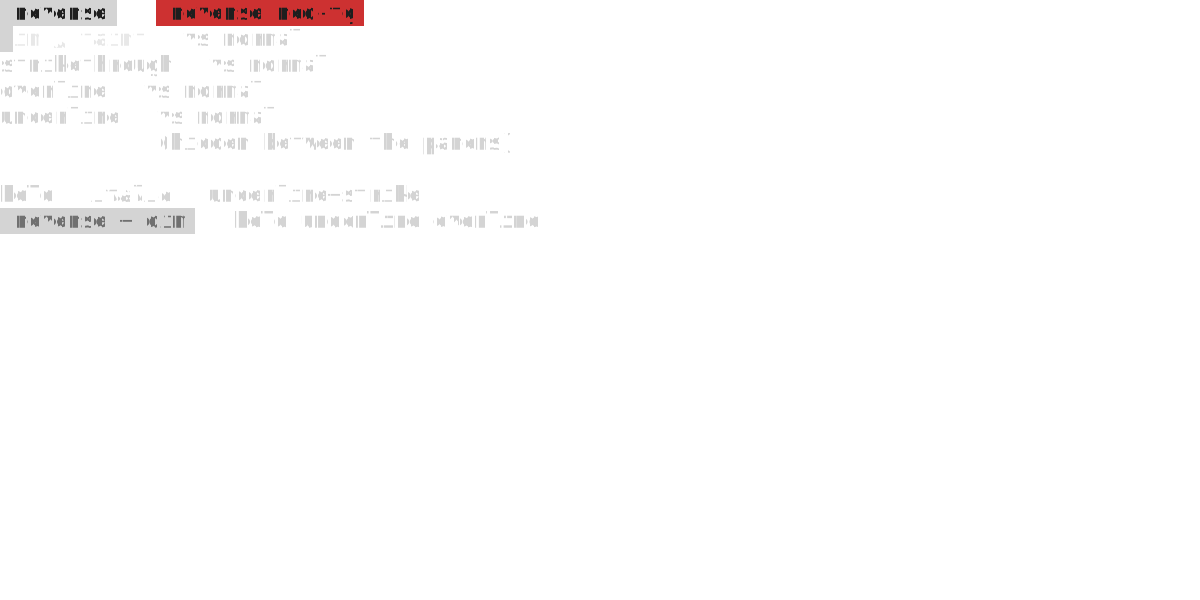
Here is the engine's SGR attribute model rendered straight to SVG — reverse, dim, strikethrough, overline, underline, and conceal, plus the bold/italic combinations — every attribute parsed from the shell's byte stream and drawn from the cell grid, with no browser anywhere in the path:
Conformance, and a deliberately narrow scope
Claiming a terminal engine is correct is easy; proving it is the work. VtScreen is conformance-tested
against a vendored copy of the libvterm corpus — the test suite from neovim's terminal library, used
under its MIT license — which is 43 .test files of assertions about what the grid should contain after
a given byte stream.
The current scoreboard is honest about where the engine stands: roughly 92% of the grid-observable assertions pass, with zero crashes. The zero-crashes part is enforced as a hard fuzz gate — no matter how pathological the input, the engine must not fall over, because real shells and broken programs emit genuinely strange byte sequences. The largest remaining gap is true reflow on resize (re-wrapping existing content when the column count changes), which is deliberately deferred.
That deferral reflects a scope philosophy worth stating plainly: VCR# is trying to match the behavior needed for playback rendering, not to be a daily-driver terminal emulator. A terminal you live in all day has to handle decades of edge cases that almost never appear in a short, scripted demo. VCR# instead targets the documented and source-confirmed behavior that actually shows up when you record a tape, and draws the line where chasing the long tail would cost far more than it returns. The 92% figure is not a goal we're embarrassed by — it's a measured statement of exactly which terminal behaviors VCR# renders faithfully today.
Never missing a frame
There is a subtlety in how the grid becomes frames. A drain thread reads the pseudo-terminal's output and takes a snapshot of the grid after every chunk of bytes, then de-duplicates snapshots by a content fingerprint so identical grids don't produce redundant frames.
The reason for snapshotting on every chunk rather than sampling on a timer is that TUI applications produce transient states — a spinner frame, a progress bar tick, a menu that flashes open and closed. Periodic sampling would inevitably land between those states and miss them, so the recording would look subtly different from the real run. Snapshotting on every output chunk means VCR# never misses a frame: every distinct grid the shell produced is a candidate frame, and the fingerprint discards only the truly redundant ones.
The same care applies in the other direction. When a tape sends keystrokes to an interactive app, the key presses are paced at roughly 24 ms apart, giving the app time to redraw between keys. Fire keystrokes too fast and a TUI's render lags behind the input; pacing them keeps the captured frames matching what a human typing at speed would have seen.
What "browserless" buys you
Dropping the browser is not just an internal cleanup — it changes what the tool requires from you.
- No terminal server, no browser to install. The two heaviest dependencies are simply gone. You install the .NET tool and that's it for the engine.
- SVG output needs nothing external at all. Because the SVG renderer emits text and draws box, block, and powerline glyphs as vector paths, it doesn't even need a font installed, let alone FFmpeg. This is why the documentation reaches for SVG in first-run and no-setup examples.
- FFmpeg is the only external binary, and only sometimes. It's required exclusively for the animated
raster formats —
.gif,.mp4, and.webm. SVG, PNG, and frame-directory output are produced entirely in-process. See the FFmpeg options reference for which formats need it.
Note
If you have older tapes or docs that mention starting a browser, a terminal server, or a "startup
script," they predate the rewrite. None of those mechanisms exist anymore — the shell, the engine, and
the renderers all run inside vcr.
One thin platform seam
A nice consequence of doing everything in-process is that almost none of it is platform-specific. Everything above the pseudo-terminal — the VT500 engine, the cell grid, both renderers, the command loop, and frame capture — is identical byte-for-byte across Windows, Linux, and macOS. The only thing that differs per operating system is how the pseudo-terminal is created and how the raw console is wired up:
- Windows uses ConPTY (the pseudo-console available since Windows 10 1809) and defaults to pwsh.
- Linux and macOS use
posix_openptplusposix_spawnand default to bash. (A managedfork/execwould be unsafe in a multithreaded CLR, so VCR# spawns the child the safe way.)
That single seam — call it the PTY launch — is the entire surface area of platform difference. Keeping it small is deliberate: it means a tape renders the same everywhere, and a bug in the engine is a bug everywhere rather than a Windows-only or Unix-only mystery.
Where to go next
This page is the "why." For the concrete knobs and facts:
- The configuration options reference lists every
Setsetting, including the timing values (InactivityTimeout,MaxWaitForInactivity,StartupDelay) that govern how the capture decides a command has finished. - The CLI commands reference covers
vcrand its subcommands. - The companion explanation, how interactive recording works, describes the same engine run in reverse — capturing your keystrokes to author a tape instead of playing one back.